I recently visited my old high school. I am on my second year of a leave of absence to raise my son, Owen, who is one and a half.
The past year and a half, the school's policy regarding the use of cell phones has evolved. Although I have researched BYOD (Bring Your Own Device) in schools, I haven't had the opportunity to put my findings into action in my own classroom. During a quick visit, I asked my former colleagues and friends, "How are students using their cell phones in your classrooms?" The majority of their responses detailed student-driven usage of mobile devices. I was very surprised by their answers. I had not thought of these tools as ways for students to improve their own executive functioning. Here are some of the uses they described:
1. Homework. Students use their phones to take pictures of homework assignments (either the description of blank worksheets), then share them on Twitter. They are providing a safety net for those who lose their assignments.
2. Studying. In addition to taking paper notes, students will take pictures of teacher notes and/or diagrams. This provides an easy reference for assignments and requires less (sometimes tedious) work of students. Students are using phones to become more efficient and effective learners.
3. Calendar. Almost all students are using their cell calendars. Instead of agendas, students will add upcoming assignments, tests, or activities to their phones. They are using their handhelds to increase their organization and performance.
4. Research. Students are eager to Google topics in class and share their findings. Students are agents of their own learning.
This conversation with teachers has changed my perspective. Now I'm wondering: What else can students teach me (and their peers) about using their own devices in the classroom?
Showing posts with label mobile devices. Show all posts
Showing posts with label mobile devices. Show all posts
Thursday, January 2, 2014

Wednesday, June 19, 2013
Using Mobile Devices with Socrative Replaces "Clickers"
Socrative (www.socrative.com) is a free website for assessments that can be given via computer or with mobile devices.
How does it work?
Sign-up is easy and free. Below is a picture of the dashboard, which gives teachers the option of preparing questions in advance, asking one question orally and having students respond, giving pre-designed items, or using and editing quizzes created by other users.

How do students access the questions?
When creating an account, teachers receive a room number that never changes. In order to take the assessments, students login to the student portal through http://m.socrative.com/student/#joinRoom or by clicking on www.socrative.com using the teacher room number. (See the image below.)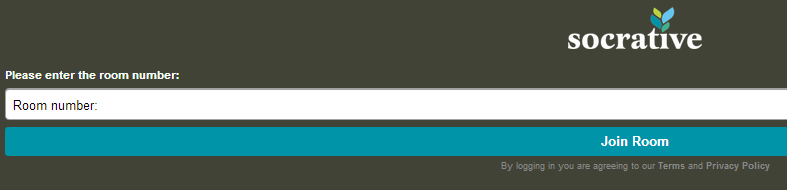
on www.socrative.com using the teacher room number. (See the image below.)
What’s great about Socrative?
- No student emails or accounts. Students only need the teacher room number to access the materials.
- Downloadable results. For every assignment, students must enter their names. When the assessment in finished, teachers can download student responses.
- Oral questions. Unlike on similar sites (such as www.polleverywhere.com), teachers can ask a question orally or use pre-made items, such as the exit ticket.
- Multiple questions. Assessments can be made with a number of items.
- Computers or mobile devices. Students can respond with a computer or cell phone; if there are not enough devices in a class, different students are able to take the assessment on the same device.
Caveat Emptor (Does that apply to something that’s free? But I digress...)
- Teachers must start quizzes for students to access them.
- Only 50 users per activity.
- Requires the internet.
- Survey results are not “pretty” and in real time like they are on PollEverywhere.
Ideas for Socrative
- Poll students at the beginning of class about the order of class activities.
- Ask students to create quizzes for the class as a homework assignment; use this as an opening activity.
- Ask questions that resemble those on an upcoming quiz and use the data to plan a review class and to group students for activities.
- Exit tickets. Use this feature to get feedback on class activities.
- How is class going? Survey students on your performance or their performance, and use the results to shape class structure.
- Interest surveys. In order to discuss concepts in class, create interest surveys, then students share and analyze the results in small groups.
Review in a nutshell: Although the dashboard is a tad clunky, Socrative is great for formative assessments that inform classroom instruction, and it makes “clicker” systems unnecessary.
Subscribe to:
Posts (Atom)